His shoulders were crisp with tension, eyes rouge around the edges, a half‑finished report pulsing on the screen. Every few minutes he rubbed his temples and blinked hard, like trying to reboot his own brain.
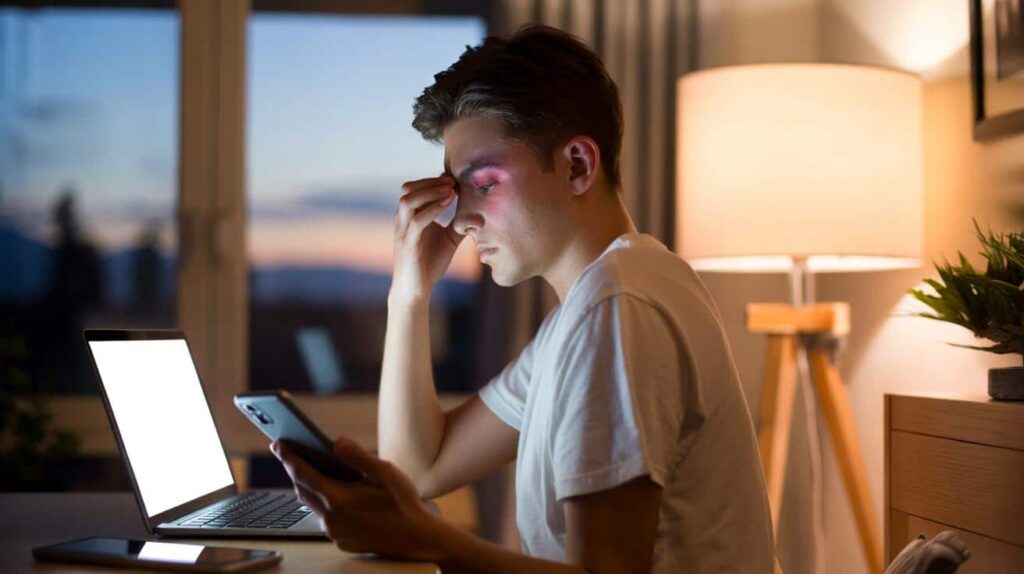
On the tram home, he stared at his phone on full brightness, Instagram glowing against the night. By the time he reached his stop, the world looked oddly dim, as if his eyes had forgotten how to focus on anything that wasn’t a backlit rectangle.
When the headache finally arrived, it wasn’t dramatic. Just a slow, dull pressure rising behind his forehead. Familiar. Predictable. Almost scheduled.

The weird part is that a tiny, almost invisible habit could have stopped it.
Why the time of day changes the way screens hit your eyes
Our eyes are not static hardware. They’re living sensors that react to whatever light we throw at them. Early in the morning, when your pupils are still half asleep and the room is soft and grey, a bright white screen can feel like stepping out of a cinema straight into midday sun.
By lunchtime in a bright office, that same level of brightness might feel fine. Come evening, though, as natural light fades, your screen doesn’t automatically “know” it should calm down. It just keeps shining at mid‑day levels, while your brain quietly objects in the form of eye strain, tension, and those familiar band‑like headaches.
That mismatch between room light and screen light is where the trouble starts.
A London eye clinic tracked complaints from office workers and found a familiar pattern. People didn’t just report tired eyes; they described a late‑afternoon “wall” when focusing on small text felt weirdly hard. One designer told me she could predict her 5 p.m. headache almost to the minute on days packed with video calls and spreadsheets.
Her routine was classic. Bright screen at 8 a.m. in a dim kitchen. Full glare on a glossy laptop all day under harsh ceiling lights. Back home, Netflix on the sofa, brightness still high while the living room slid into darkness. She never touched the brightness slider unless the battery warning popped up.
When she finally tried matching her screen to the room — raising brightness next to a sunny window, lowering it sharply after 8 p.m. — the change wasn’t instant magic. Yet after a week, she realised something unexpected: her Friday headaches had quietly… stopped.
Our eyes evolved for a world where light slowly shifts from sunrise to noon to sunset. Screens break that rhythm. A screen that’s too bright in a dim space forces your pupils to clamp down hard, while the rest of the scene stays murky. That gap makes your ciliary muscles work overtime to keep things in focus. Tension builds in tiny steps you barely notice.
If the screen is way too dim in a bright room, your eyes do the opposite. They strain to extract detail from a dull, low‑contrast image while your brain is bombarded by intense overhead light. The muscles around your eyes tighten, your blinking rate drops, and the front of your head starts to feel heavy.
When you connect brightness to time of day, you’re really syncing your screens to your body clock. Morning light should be gentle. Midday can be strong. Evening should wind down. That alignment alone can shave off a surprising chunk of daily discomfort.
How to time your brightness changes for calmer eyes and fewer headaches
The simplest method is to build a three‑step rhythm into your day. Morning: keep brightness low to medium, especially if you’re in a softly lit room. Let your eyes warm up. Around late morning to mid‑afternoon, raise brightness enough so that text looks crisp against the background, not washed out or dazzling.
As natural light starts to fade — usually late afternoon or early evening — nudge brightness down again. Aim for this rule of thumb: *the screen should never look like the brightest object in the room by far*. If it does, your brain will lock onto it like a spotlight, and strain quietly ramps up.

Most phones and laptops now have auto‑brightness and “Night Shift” or “Blue Light Filter” modes. Use them as a baseline, then tweak manually. Your eyes know better than any algorithm.
On a practical level, pick a few fixed moments to adjust rather than relying on vague intention. Elevating the brightness as you sit at your desk after breakfast. A quick tweak after lunch when the sun is strongest. One last adjustment around sunset or when you turn on indoor lights.
On days packed with Zoom calls or gaming, pay attention to how your head feels during the longest session. If you notice a dull ache behind your eyes at the one‑hour mark, try reducing brightness by 10–20% and see how the next hour feels. That small change often does more than a new pair of “miracle” glasses.
Soyons honnêtes : personne ne fait vraiment ça tous les jours. Routines slip. You’ll forget. That’s fine. The goal isn’t perfection; it’s shifting the average of your days so your eyes spend less time under artificial high noon and more time in sync with your environment.
“When screen brightness moves with the light in your room, your eyes stop fighting the day. They start moving with it,” says Dr Sarah Brook, a UK optometrist who spends half her week talking people out of unnecessary panic about their vision.
Her advice is to think small and consistent rather than dramatic. A few repeated cues help. Set a subtle reminder on your phone at 9 a.m., 1 p.m., and 8 p.m. Label them “soften screen” or “match the room”. It sounds almost silly, yet those micro‑adjustments accumulate into fewer evenings spent reaching for painkillers.
- Match screen brightness to room light, not to habit.
- Use warmer, dimmer light in the evening to signal wind‑down.
- Blink often and look away every 20 minutes to reset focus.
- Keep screens at arm’s length and slightly below eye level.
- Notice when headaches appear — they’re data, not destiny.
Living with your screens, not against them
On a quiet Sunday, try this small experiment. Sit in front of your usual device at your usual distance. Close your eyes for ten seconds, then open them and really notice how the light feels for the first three seconds. If you instinctively flinch or squint, that’s your nervous system voting “too bright”.
Now lower the brightness until the screen blends gently with whatever light you have in the room. Not dark, not dazzling, just part of the scene. The content should be easy to read, but the glow shouldn’t dominate your field of view. Many people are surprised by how low they can go and still feel comfortable once their eyes adapt.
We’ve all had that moment where the headache arrives and we blame stress, coffee, sleep — anything except the glowing rectangle right in front of us. Adjusting brightness feels too trivial to matter, almost like rearranging pens on a messy desk. Yet the body often responds most strongly to the quietest tweaks.
If you spend more than three or four hours a day with a screen, your eyes are running a marathon in sprints. Brightness timed to your day is like giving them water breaks at the right mile markers instead of randomly handing them a fire hose at the finish line.
There’s no single perfect percentage or setting that fits everyone. Your age, your glasses, your room, your screen type — all of it plays a role. What you can control is the relationship between those things. Morning softness. Midday clarity. Evening calm. It’s less a rule and more a rhythm.
Once you start noticing that rhythm, screens stop feeling like a force pressing into your face and more like a tool you actually command. You might still get the occasional tension day. Life is messy. But you’ll recognise the signs earlier, reach for the brightness slider instead of just the painkillers, and maybe help someone else do the same the next time they complain of a “mystery” headache during yet another late‑night scroll.
| Point clé | Détail | Intérêt pour le lecteur |
|---|---|---|
| Sync brightness with time of day | Lower in the morning and evening, higher around midday | Reduces strain by matching natural light patterns |
| Watch the room, not the screen | Adjust brightness based on surrounding light, not habit | Makes reading easier and cuts down on headaches |
| Create simple routines | Set 2–3 daily moments to tweak brightness | Makes eye comfort automatic rather than another chore |
FAQ :
- How do I know if my screen is too bright?If the screen looks like a spotlight in a dim room or you instinctively squint when you open your eyes, it’s too bright. Lower it until it blends more naturally with the rest of the room.
- Can screen brightness really cause headaches?Brightness that’s mismatched with room light can trigger eye strain, which often shows up as tension headaches or pressure behind the eyes, especially after long sessions.
- Is auto‑brightness enough?Auto‑brightness is a helpful start, but it isn’t perfect. Use it as a baseline, then adjust manually when your eyes feel tired or the lighting in your space changes.
- What about blue light filters — do they replace brightness changes?Blue light filters can make evening viewing gentler and may help with sleep, yet they don’t solve everything. Matching brightness to your environment still matters a lot.
- How quickly will I notice a difference?Some people feel relief in a day or two, others need a week or more. Stick with timed adjustments across the day and watch how your late‑afternoon and evening headaches evolve.